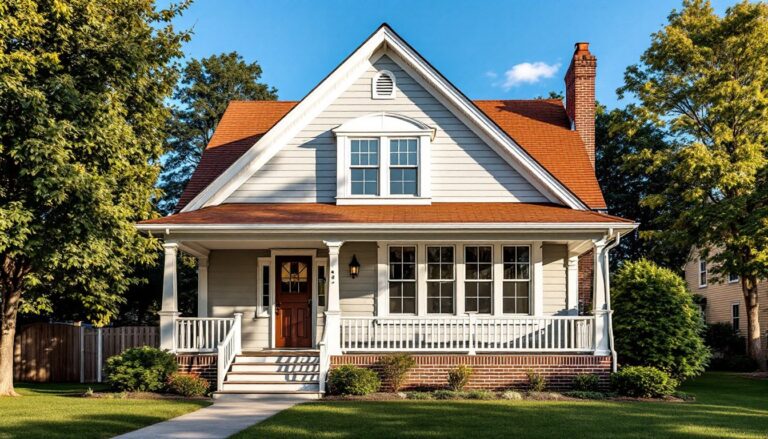

As the U.S. population ages, more seniors are choosing to age in place, staying in their homes rather than moving to assisted living facilities. Smart home technology offers a practical solution, transforming houses into safer, more responsive environments that support independence. From motion-detecting lights to voice-controlled assistants, these connected devices can reduce fall risks, simplify daily tasks, and provide peace of mind for both seniors and their families. This guide covers the essential smart home devices that make aging in place safer and easier.
Table of Contents
ToggleKey Takeaways
- Smart home for seniors reduces fall risks and eliminates hazards through motion-sensor lights, smart locks, and automated systems that respond instantly to emergencies.
- Voice-activated assistants like Alexa and Google Assistant enable seniors to control lighting, temperature, medication reminders, and emergency calls without touching buttons or navigating complex menus.
- A basic smart home setup costs $300–$600 including a smart speaker, motion lights, smart lock, and sensors, with optional fall detection monitoring at $20–$50 monthly.
- Start small with one or two devices, test Wi-Fi stability, and involve family members in setup to build confidence and ensure seniors will actually use the technology.
- Smart home devices eliminate physical strain from arthritis and limited mobility while allowing family members to monitor safety remotely without invading privacy.
Why Smart Home Technology Matters for Aging in Place
Aging in place means staying safe and independent at home for as long as possible, and smart home devices are built exactly for that goal. Falls are the leading cause of injury-related deaths for seniors, with one in four adults aged 65+ experiencing a fall each year. Motion sensors, smart lighting, and automated door locks can eliminate hazards and respond instantly when something goes wrong.
Beyond safety, smart home tech reduces physical strain. Reaching overhead cabinets, bending to adjust thermostats, or fumbling with small buttons becomes unnecessary when voice commands and automation handle these tasks. A senior with arthritis doesn’t need to grip a traditional doorknob, a smart lock opens with a voice or a smartphone tap. These aren’t luxury features: they’re practical tools that extend independence.
Family members also benefit. Remote monitoring cameras, activity sensors, and alert systems let adult children check in without invading privacy or requiring constant phone calls. According to research on AI-powered elderly care systems, motion detection and falls detection devices give families real-time confidence that a loved one is safe, even from miles away.
Essential Smart Home Devices Every Senior Should Consider
Voice-Activated Assistants and Smart Speakers
Voice-activated assistants like Amazon Alexa, Google Assistant, or Apple Siri are the foundation of a senior-friendly smart home. A simple smart speaker ($25–$100) sits on a nightstand, kitchen counter, or living room table, responding to spoken requests without requiring the user to touch anything.
For seniors, voice control handles critical tasks: calling for help, adjusting lights and temperature, setting medication reminders, playing music, or asking questions aloud. Someone with limited mobility or tremors doesn’t need to navigate menus on a smartphone. A senior can say “Alexa, turn on the bathroom light,” and it happens instantly.
Setup is straightforward. Plug in the device, connect it to Wi-Fi using the companion app (a family member can help), and link it to other smart devices. Choose a model with a large, easy-to-see screen if the senior has vision challenges, the display shows weather, reminders, and caller information without requiring voice interaction every time.
Smart Safety and Security Systems
Smart door locks replace fumbling with keys and eliminate the risk of a fall while reaching into a purse or pocket. A smart deadbolt ($100–$300, installed) opens via smartphone, keypad code, or voice command. If a senior falls and can’t reach the door, a family member unlocks it remotely. No more hiding spare keys under doormats, a security breach point.
Motion-sensor lights prevent midnight stumbles to the bathroom. When a senior gets out of bed, the floor lights up automatically. These cost $15–$40 per fixture (wireless, battery-powered models are easiest for renters) and eliminate the hazard of reaching for a wall switch in darkness.
For comprehensive monitoring, a basic smart security system, door/window sensors and a hub ($150–$400 installed), alerts families if an exterior door opens unexpectedly. Video doorbells ($100–$200) let seniors see who’s at the door before opening it, critical for avoiding scams and unwanted visitors.
Fall detection wearables go further. Devices like medical alert bracelets with AI-powered fall detection ($20–$50/month service) identify falls automatically and contact emergency services or family. Unlike older systems requiring a button press, these work even if the senior is unconscious. The feature isn’t perfect, occasional false alarms happen, but it’s a genuine safety net.
Affordable Setup and Installation Tips for Seniors
Start small. Don’t buy 15 devices at once. Begin with a smart speaker and one motion-sensor light, learn how it works, then add more. This approach keeps costs manageable and prevents overwhelm.
Wi-Fi stability matters more than you’d think. Smart devices need reliable connection, so test your current Wi-Fi signal in the areas where devices will live (bedroom, bathroom, entryway). If Wi-Fi is weak, a mesh router ($100–$300) covers dead zones without rewiring. This investment pays for itself in avoided frustration.
When installing devices, simplicity beats features. A senior doesn’t need a smart speaker with 47 commands, they need one that handles lights, temperature, reminders, and emergency calls reliably. How to set up smart home devices guides walk through the process step-by-step, but here’s the practical sequence:
- Choose devices compatible with one ecosystem (all Alexa, all Google, or all Apple). Mixing platforms creates headaches.
- Set up the hub or main speaker first, test Wi-Fi connection, then add individual devices one at a time.
- Create simplified routines: “Goodnight” turns off lights and locks doors. “Good morning” opens blinds and starts coffee. Voice one phrase, multiple actions.
- Label devices clearly (“Bedroom Light,” not “Light 3”). When voice commands work instantly with no confusion, seniors actually use them.
- Write down setup details (Wi-Fi password, emergency contact numbers, device locations) and keep a physical copy in a visible place.
For installation, many seniors can handle basic setup themselves. Smart speakers plug in and connect via app. Motion sensors stick to walls with adhesive or mount with brackets. Door locks usually require removing the old lock and installing the new one, a 20-minute job if you’re handy, or hire a locksmith ($50–$150) if not. Professional installation isn’t required for most devices, but it eliminates uncertainty.
Budget realistically. A basic senior-safe setup costs $300–$600: a smart speaker ($50), three motion lights ($60), a smart lock ($150), and door/window sensors ($150). Monthly costs depend on services chosen, fall detection monitoring runs $20–$50/month, but basic device automation is free after initial purchase. Research smart home devices for beginners to avoid unnecessary spending on features that won’t be used.
Family involvement is key. Adult children should help select devices, set them up, and test them with the senior present. This shared process builds familiarity and confidence. Leave instructions written in large print, with phone numbers for customer support. Manufacturers like Amazon and Google offer senior-specific customer support lines with longer wait times but patient representatives.
Conclusion
Smart home technology for seniors isn’t about luxury, it’s about safety, independence, and staying connected. Voice assistants, motion lights, smart locks, and fall detection devices transform a house into an environment that supports aging in place. Start with a simple setup, involve family in the process, and expand gradually as confidence grows. The best smart home for a senior is one they’ll actually use, so prioritize ease over features and reliability over price.